



Integration becomes a strategic problem the moment your company adds enough SaaS tools that the data flow between them outweighs the work happening inside them. iPaaS is the platform pattern that replaces brittle point-to-point integrations with a single, governed layer that can scale with the business. This guide explains where iPaaS earns its place and the operating model that comes with adopting one.
Key Points
- Many enterprises report revenue and operational inefficiencies tied to fragmented customer data and disconnected systems.
- iPaaS only pays off when integrations are treated as products with clear ownership and lifecycle management.
- Point-to-point integration sprawl grows faster than teams can sustainably manage, which is why it eventually breaks under SaaS proliferation.
- iPaaS works as a modernization wrapper around brittle legacy endpoints, translating them into stable APIs or events for incremental replacement.
At first, it feels like progress: a sales tool here, a finance system there, support, analytics, security, each one a win. Then marketing automation arrives, the ERP lands, cloud services multiply, and a “temporary” spreadsheet pipeline becomes the thing no one can touch.
Suddenly, the hidden cost shows up: your teams aren’t moving data forward, they’re moving it around.
That’s the moment integration becomes strategic, because the way systems connect starts to shape operational efficiency, reporting accuracy, and delivery speed.
What is iPaaS?
Integration Platform as a Service (iPaaS) is a cloud-delivered integration layer that lets you design, run, and govern data and application integration flows across both on-premises systems and cloud environments, using reusable connectors, transformations, and orchestration to keep multiple systems in sync.
In practice, iPaaS platforms provide a centralized integration layer for connecting applications, orchestrating workflows, transforming data, and managing governance across cloud and on-prem systems.
Why iPaaS Matters for Enterprises
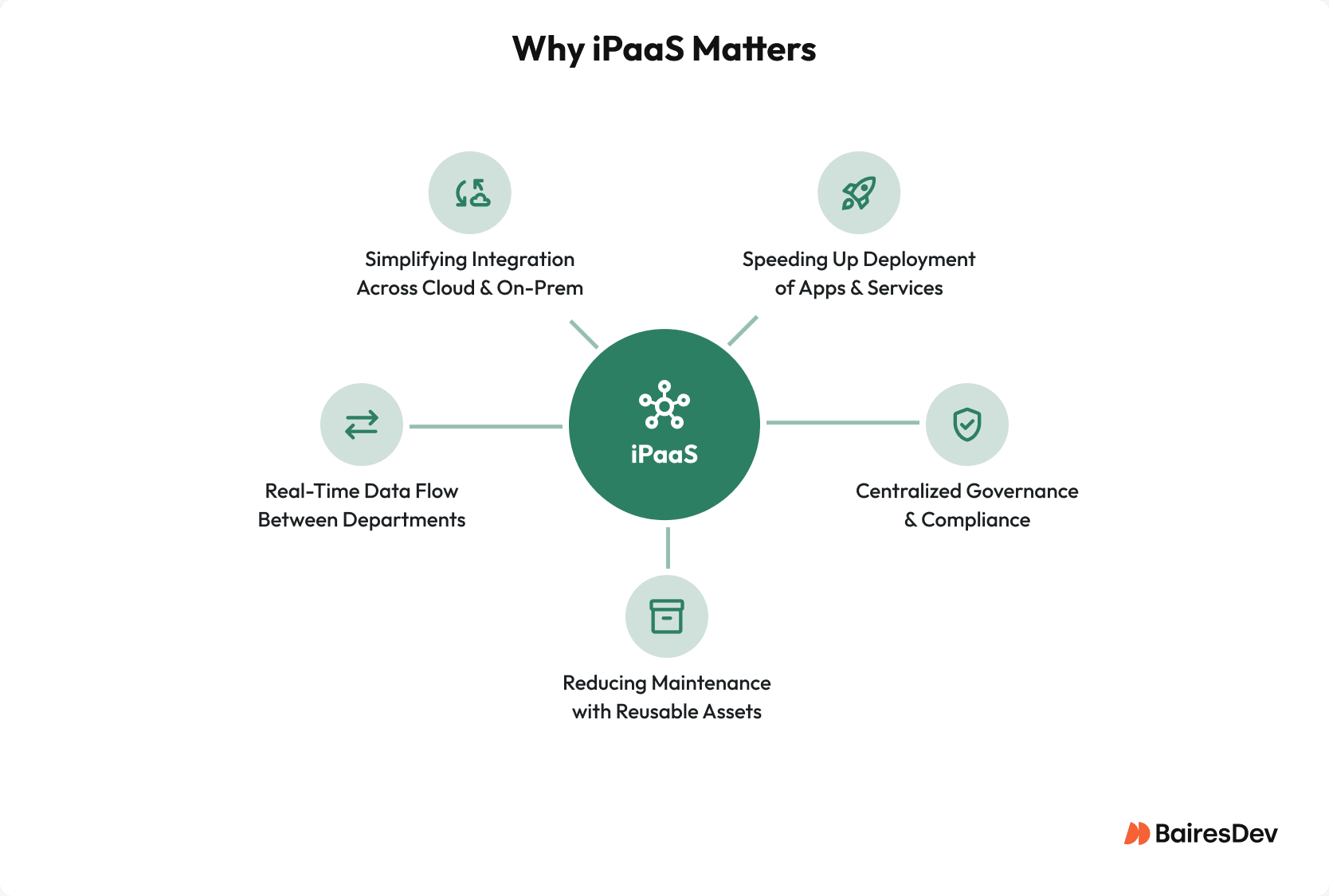
As enterprises adopt dozens of cloud services across departments, integration becomes a foundational challenge.
Fragmented customer data often leads to reporting inconsistencies, delayed decision-making, and operational inefficiencies across departments.
Manual processes multiply under pressure too: exports, uploads, reconciliations, “just run the script,” and a steady diet of Slack messages asking whose numbers are correct. Once that pattern sets in, scaling adds complexity faster than headcount.
For growing enterprises, iPaaS helps maintain operational consistency as new tools, regions, teams, and data sources are introduced.
How iPaaS Works
At a technical level, iPaaS platforms sit between enterprise applications and act as an intelligent integration layer. Most iPaaS platforms include several common architectural components:
- Prebuilt Connectors: Libraries of connectors to popular platforms (e.g., Salesforce, SAP, NetSuite) simplify integration without deep API work.
- API and Data Orchestration: Triggers, transformations, and logic flows define how data moves across systems.
- Centralized Control: A single dashboard manages all integrations, providing visibility, diagnostics, and user permissions.
- Cloud-Native Delivery: iPaaS platforms are SaaS solutions, scalable, continuously updated, and globally accessible.
- Security and Compliance: Features like encryption, audit trails, and RBAC support enterprise security and regulatory needs.
This architecture reduces dependency on one-off integrations and creates a more maintainable integration model as systems and workflows evolve.
Once that foundation exists, engineering teams can spend less time maintaining fragile scripts and more time building reusable integration capabilities.
|
Approach |
What you get | Hidden cost | Best fit |
|---|---|---|---|
| Point-to-point custom integrations | Fast for one connection | Sprawl, brittle dependencies, maintenance tax | A couple of systems, stable scope |
| Traditional ESB and middleware platforms | Strong central control | Longer delivery cycles, specialized skills | Regulated environments, heavy on-prem |
| iPaaS solutions | Speed + governance in a cloud-native model | Vendor choice matters; platform discipline required | Many applications, hybrid cloud, frequent change |
Implementation Considerations
Start with Business-Critical Data Flows
Inventory your systems and data sources, then prioritize workflows tied to revenue, customer retention, compliance, or financial reporting: where revenue, retention, fraud, or cash collection depends on timely data. This approach keeps the integration process anchored in business outcomes.
Design for Mixed Ownership
Many iPaaS platforms support a user-friendly interface and low-code development, which means business users can contribute. That model works best when paired with governance controls:
- Define what business teams can build (and what requires engineering review).
- Standardize naming, error handling, and logging.
- Create reusable integration solutions (templates, connectors, common transformations).
- Maintain a shared catalog of approved integrations, schemas, and reusable workflows.
Treat Integrations as Long-Lived Products
Assign clear owners, SLAs, and budgets. Because integrations often support revenue and operational workflows, they require formal lifecycle management. Version your flows, automate testing, and promote changes across environments like you do with application code.
Handle Legacy Systems and Data Migration
Legacy systems and on-prem constraints show up in every enterprise integration plan. Build integration layers that isolate brittle endpoints and translate them into stable interfaces, APIs, events, or canonical data models, so modernization can happen incrementally.
When iPaaS May Not Be Necessary
Organizations with only a small number of tightly coupled systems may not need a full iPaaS platform. In simpler environments, lightweight APIs or direct integrations can remain manageable and cost-effective.
iPaaS becomes more valuable as the number of applications, teams, and integration dependencies increases, especially when organizations need centralized governance, reusable workflows, and visibility across hybrid cloud and on-prem systems.
For some enterprises, the challenge is not integration capability but integration sprawl. In those cases, introducing an iPaaS platform can reduce operational complexity by standardizing how systems exchange data and automate workflows.
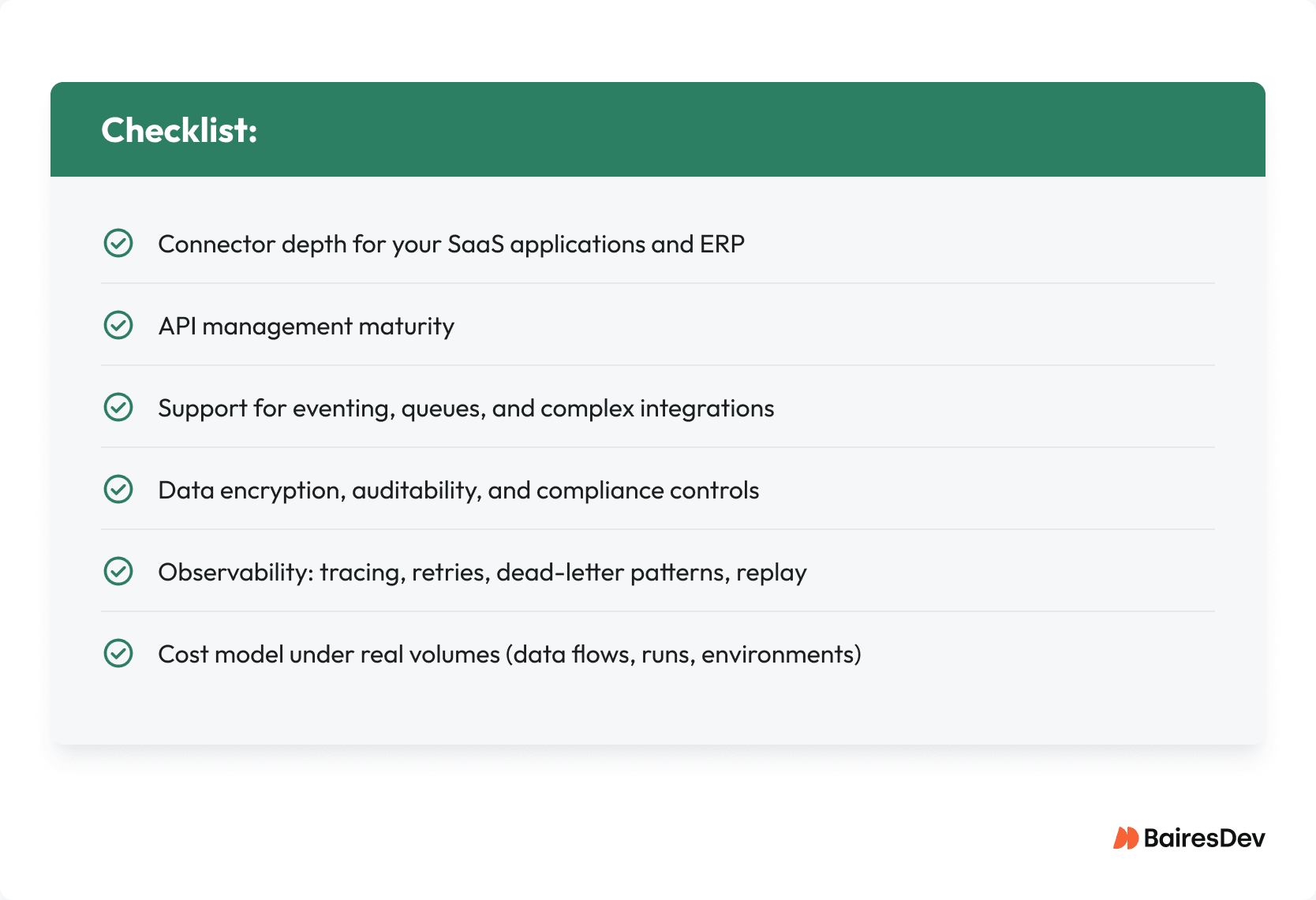
Choose an iPaaS Vendor Based on Fit
Look beyond the demo and prioritize:
Where a Partner Like BairesDev Fits
iPaaS gives you the platform; most enterprises still lack the capacity to design, build, and run integration flows at scale. BairesDev provides dedicated, nearshore squads of senior, full-time LATAM engineers who:
- Work in US-aligned time zones and plug into your existing teams and standards
- Have deep experience with hybrid environments, security, and compliance
You get faster delivery, better data consistency, fewer operational surprises, and a realistic path to workflow automation across the business.
Building an Integration Layer That Scales
As enterprises expand their software ecosystems, the challenge shifts from adopting tools to coordinating them effectively. iPaaS helps companies handle complex integrations by keeping business processes connected even when systems speak in diverse data formats and live across cloud and on-prem. Instead of patching together one-off connections, teams can set up cleaner data integration so data flows stay consistent from sales to finance to support.
That becomes even more important when you’re juggling multiple SaaS applications and pushing analytics into cloud data warehouses. A well-designed integration layer centralizes shared business logic, like validation, mapping, and routing, inside a centralized orchestration layer rather than scattered across isolated scripts and services. And with built-in controls like data encryption, you can maintain delivery speed without weakening governance or security controls.