

Choosing a content management system (CMS) in 2026 has become a strategic decision. What changed is scope: CMS selection is a security, compliance, and reliability call that product and platform must own together. And the stakes are high.
This article provides a framework for evaluating modern CMS options through an enterprise lens. It outlines what has changed in 2025/26, how to assess vendor and architectural maturity, and offers a decision matrix and a migration and risk checklist to guide the process of selection.
The 2025/2026 CMS Landscape
In 2026, choosing a content management system is a platform strategy decision. The market has matured beyond the simple “monolithic vs. headless” debate and basic CMS feature comparisons. Engineering leaders now weigh how content systems fit within distributed and increasingly AI-assisted architectures.
The Rise of Integration Tolerance
Composable and headless CMS architectures have become the default choice for large organizations and complex websites. Vendors now offer mature APIs, robust security models, and visual editing layers, closing much of the usability gap compared with traditional monolithic systems.
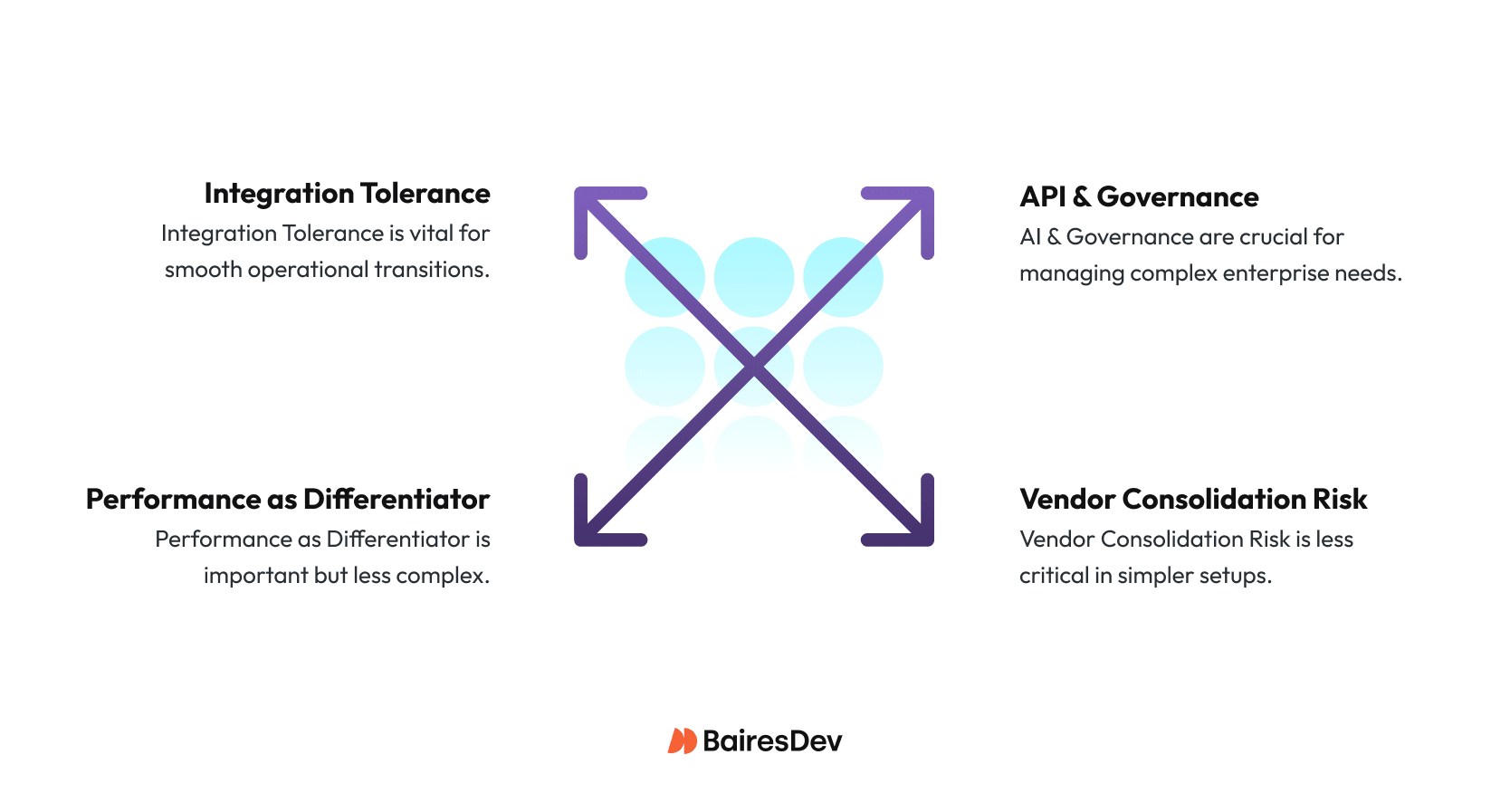
For teams choosing the right CMS for the job, this maturity shifts the focus from feasibility to integration, customer experience, and operational risk management. Integration tolerance is becoming the real question. How much operational complexity can your teams manage without slowing delivery?
Artificial Intelligence
AI-assisted content has also shifted from novelty to expectation. Editors and content managers now expect built-in support for translation, accessibility, tone control, and more.
For engineering teams, the risk of the artificial intelligence race is fragmentation. Every external AI plugin adds latency and data-handling exposure. CMSs with native, auditable AI capabilities simplify governance and reduce integration debt.
Governance and data sovereignty now dominate RFPs. Organizations operating across regions must demonstrate where content is stored, who can access it, and how it’s audited. In 2026, enterprise buyers expect strong identity integration to align with business goals, granular access control, regional data residency, and transparency compliance practices and baseline requirements, not add-ons.
Performance Remains Critical
Performance has always been a key metric, directly tied to Core Web Vitals and SEO. Engineering teams now judge CMS maturity by its delivery infrastructure (e.g. edge deployment, cache invalidation APIs, and media optimization) because milliseconds translate into ranking and revenue.
With AI overviews and zero-click searches eroding ROI and limiting visibility, many marketing teams are looking for a competitive edge that will make their websites more attractive to search engines.
Vendor Consolidation
Finally, vendor consolidation is reshaping procurement risk. Teams need to constantly evaluate product stability, vendor lock-in, and exit options.
Open-source or API-first systems can mitigate lock-in but require a high level of technical expertise and additional maintenance overhead. Composable stacks diversify vendors but multiply operational dependencies.
In short, CMS evaluation in 2026 is about aligning architecture, governance, and risk appetite. The right choice depends less on what the system can do today and more on how it will perform, scale, and remain compliant for the next five years.
| CMS | Model | Why choose it | Watch outs | Best fit |
| WordPress VIP | Coupled/Hybrid | Fast editorial UX, huge ecosystem, mature CDN/caching | Plugin sprawl, governance varies, lock-in at scale | Content-heavy sites needing speed with light engineering |
| Drupal (Acquia) | Coupled/Decoupled | Granular RBAC, multilingual, complex schemas/workflows | Higher ops overhead, steeper learning curve | Regulated orgs with complex models and strict governance |
| Contentful | Headless (SaaS) | API-first, global delivery, strong docs and apps | Usage-based costs; advanced workflows may need add-ons | Delivery across multiple channels with strong front-end team |
| Contentstack | Headless/Composable (SaaS) | Enterprise governance, automation, partner ecosystem | Cost/contract complexity; orchestration in composable stacks | Platform teams, multi-brand/global footprints |
| Sanity | Headless (SaaS) | Schema-as-code, real-time collab, flexible studio | Governance depth depends on implementation | Product teams wanting “content as code” and rapid iteration |
| Strapi (Cloud/Self-host) | Headless (OSS) | Full control, extensible, self-hosting option | You own security/patching; enterprise workflows need setup | Teams needing OSS control, low lock-in, custom fit |
| Storyblok | Headless (SaaS) | Visual editor on true headless; strong localization | Advanced governance/approvals may need add-ons; usage costs | Headless builds for non-technical users |
Architecture Models
The CMS market has entered its consolidation and specialization phase. This shift has reshaped how organizations evaluate CMS architectures:
The Traditional CMS: Coupled/Monolithic
Traditional CMSs bundle authoring, preview, and rendering. They remain an attractive option where centralized editorial control and out-of-the-box workflows reduce integration work.
Vendor docs and enterprise usage patterns show these systems still provide strong built-in localization and workflows. (See Storyblok for hybrid visual editing use cases and legacy DXP market analysis.)
Best if: Your organization values operational stability, in-house editorial control, and predictable support over front-end flexibility.
Headless Content Management Systems
An API-first content store decouples content from presentation, enabling modern front ends and multiple channels (single page applications, mobile apps, server side rendering, etc.). Headless vendors emphasize Service Provider Interfaces (SPIs) and developer ergonomics in their documentations.
Adopters cite improved front-end velocity at the cost of additional preview and integration work. (See Strapi’s open-vs-proprietary analysis and vendor docs on API-driven hosting.)
Best if: You need multi-channel delivery, have front-end engineering capacity, and can handle moderate integration complexity.
Composable Solutions
Composable stacks assemble best-of-breed systems with high customization, including CMS, e-commerce, Product Information Management (PIM), Digital Asset Management (DAM), and Customer Data Platform (CDP), which are connected through APIs.
Recent market activity, such as Contentstack’s acquisition of Lytics, along with vendor positioning, illustrates the shift toward composable architectures for enterprises seeking modularity and personalization. This modularity, however, increases orchestration requirements for Service Level Agreements (SLAs), integrations, and governance.
Best if: You have a central platform team, integration maturity, and multi-system governance tooling (e.g., centralized observability, identity, CI/CD pipelines).
Each CMS model can work if aligned with organizational priorities. The following evaluation dimensions map directly to the engineering leader’s risk and delivery concerns.
| Key Considerations | Evaluation Questions |
| Identity & Access | Does it support enterprise SSO (SAML/OAuth2), SCIM, and granular RBAC? |
| Audit & Compliance | Are logs exportable? Does the vendor maintain ISO27001/SOC2 compliance? |
| Data Residency | Can you choose data regions to meet regulatory requirements? |
| Security Posture | What is the vendor’s vulnerability disclosure and patch cadence? |
Takeaway: Favor CMSs with transparent security documentation and audit hooks. Treat data sovereignty and RBAC depth as non-negotiable.
Editor & Workflow Maturity
Effective editor and workflow tools are a core consideration when selecting the right CMS.
Organizations must assess how different CMS platforms support visual editing, localization, approval workflows, content creation, and AI-assisted content. Modern CMSs increasingly provide visual editors, low-code authoring, and real-time preview capabilities that reduce reliance on developer resources while maintaining workflow consistency across large teams.
Leaders should prioritize platforms that combine usability with robust localization, approval, and AI-assisted content features. For example, Storyblok documents its visual editor and workflow features as examples of headless systems improving marketer experience. Builder.io documents generative UI advances (AI-assistant composition).
When evaluating editor maturity, look for options that provide visual preview fidelity, role-based workflows, built-in localization/translation support, and any native AI features (which reduce the need for third-party plugins).
Key Takeaway: Strong workflows and role-based controls ensure scalable, reliable content production.
Security, Compliance, Sovereignty
Data residency and auditability are critical for regulated industries.
Many CMS vendors now document region-specific hosting and compliance programs. A modern CMS is expected to include enterprise-grade identity integration, automated user management, and role-based permission controls. Compliance certifications such as SOC 2 and ISO 27001 are now standard proof points of a CMS provider’s security maturity rather than differentiators.
The adoption of generative AI has introduced a significant new vector for data exposure, as sensitive enterprise information increasingly flows to external AI applications beyond organizational control. Research from 1Password indicates that most security leaders lack full visibility into the AI tools used within their organizations, and governance over AI is often insufficient.
This is why some teams prioritize CMS solutions that provide native, auditable AI workflows or, at a minimum, enforce strict controls over third-party AI integrations. Vendors should supply detailed audit logs capturing user interactions, system actions, and administrative changes to support compliance and accountability, as recommended by the AI Governance Library.
Engineering teams should confirm how AI-related data is processed (on-premises versus third-party cloud), how interactions are logged and retained in compliance-ready formats, and what controls exist for integrating external AI models, including model scorecards or governance requirements.
By treating AI workflows as a governance and risk control surface rather than merely an editor convenience, organizations can reduce integration complexity, improve audit readiness, and mitigate the exposure introduced by unmanaged AI plugins.
Key Takeaway: Robust identity, audit, and data residency controls are baseline enterprise requirements.
Integration & Extensibility
Integration and extensibility are critical when comparing different CMS platforms. A strong CMS provider offers robust APIs, reliable webhooks, and a partner ecosystem to support evolving business needs, while headless CMS architectures often require greater internal operational ownership.
Teams should verify that the platform provides robust API coverage, including REST or GraphQL endpoints, reliable webhooks, clear developer documentation, and support for custom business logic. Strong integration support ensures that the CMS can connect effectively with existing systems, including analytics, commerce, product information management, and digital asset management platforms.
The partner ecosystem also matters. Open-source or API-first platforms offer maximum flexibility but require internal operational ownership, while vendor marketplaces can reduce integration effort at the cost of dependence on partner quality and availability.
Reviewing vendor documentation and independent comparisons helps engineering leaders understand integration models, trade-offs, and the operational implications of each approach.
Key Takeaway: Seamless integrations future-proof your CMS and reduce operational friction.
Delivery & Performance
Performance remains a major factor when choosing the right CMS platform, directly affecting both search ranking and user experience. Comparing CMSs on delivery speed, caching, and CDN integration ensures that the chosen system meets business needs for SEO and user experience.
Google’s Core Web Vitals guidance links page experience directly to search signals, making it essential for enterprise teams to ensure fast, reliable content delivery. Production teams rely on CDN capabilities, including cache purge APIs and edge strategies, to keep content fresh and responsive across regions.
When evaluating a CMS, confirm that both the platform and its delivery model support the front-end pattern your organization requires, whether that is static site generation, server-side rendering, or a hybrid approach. Look for built-in automation for cache invalidation, image and video optimization, and multi-region content delivery.
Operational mechanisms documented by providers like Cloudflare, including instant purge and API-based cache controls, illustrate how these systems maintain performance at scale.
Key Takeaway: Fast, optimized delivery directly impacts user experience and search ranking.
Total Cost of Ownership (TCO) & Operations
Total cost of ownership (TCO) is a key consideration when evaluating different CMS platforms and choosing the right CMS provider. Engineering leaders must assess business requirements and the full CMS lifecycle to balance operational overhead, platform flexibility, and vendor stability.
Composable stacks increase orchestration complexity, while SaaS platforms reduce operational burden but introduce usage-based costs.
Open-source solutions can reduce upfront license fees but shift responsibilities for updates, security patches, and uptime to internal teams, requiring investment in DevOps and platform expertise. SaaS vendors, on the other hand, simplify operational overhead with managed updates, scaling, and support, but can introduce usage-based costs and tighter vendor dependencies that must be monitored over time.
Architecture and stack decisions also influence TCO. Composable approaches, while offering flexibility and best-of-breed functionality, increase orchestration and integration complexity, which can raise operational costs. Vendor stability is a critical factor as well.
Contracts should include clear export and exit provisions to maintain content portability and workflow continuity. By evaluating TCO in the context of both architecture and vendor risk, enterprise leaders can make more informed decisions that balance cost, operational burden, and long-term reliability.
Key Takeaway: TCO combines cost, operational complexity, and vendor stability for long-term confidence.
Decision Matrix: Aligning Priorities to CMS Categories
This selection process helps align organizational priorities with the right CMS architecture:
| Organizational Priority | Coupled CMS | Headless CMS | Composable CMS |
| Governance & Compliance | Strong (centralized control, mature RBAC) | Moderate (depends on vendor) | Variable (requires multi-system orchestration) |
| Editor Productivity | High (visual workflows) | Medium (requires custom previews) | Variable (depends on integrations) |
| Front-End Flexibility | Low | High | Very High |
| Integration Depth | Limited (closed ecosystem) | High (API-driven) | Very High (multi-system) |
| Delivery Performance | Moderate | High | High (edge-first) |
| TCO Predictability | High | Medium | Low–Medium (integration overhead) |
| Vendor Lock-In Risk | High | Medium | Low (if modular contracts) |
| Best Fit For | Marketing-heavy orgs, predictable governance | Multi-channel delivery teams | Mature platform teams, global multi-brand orgs |
Migration & Risk Checklist
A migration from an existing CMS impacts architecture, SEO, and governance. Use this checklist to de-risk delivery:
Content & Modeling
- Define a normalized content model early; avoid premature schema design.
- Inventory existing content types and map to new structures.
- Plan redirects, URL structures, content strategy, and SEO continuity.
Localization & Workflow
- Validate locale handling, fallbacks, and automated translation.
- Recreate approval flows in staging before production cutover.
Permissions & Governance
- Map roles to new role-based access controls.
- Ensure least-privilege access and auditability in production.
Delivery & Rollback
- Use blue-green or canary deployment strategies.
- Confirm static builds and CDN caches can be rolled back.
- Validate cache invalidation workflows post-launch.
Operations & Support
- Confirm SLAs for uptime, support response, and patch cadence.
- Establish monitoring and alerting for content APIs.
- Document vendor dependencies and contract renewal cycles.
Engineering Takeaway: Treat CMS migration as a platform change, not a tooling upgrade. Invest in observability, rollback, and governance automation before the first migration ticket is opened.
The Strategic CMS Decision
Selecting a CMS is no longer just a question of features.
It’s a strategic call that affects delivery, governance, performance, cost, and long-term risk. Engineering leaders must evaluate architecture, workflow maturity, security posture, integration capabilities, and operational costs in the context of their organization’s scale and regulatory requirements.
By approaching the decision through a structured framework, and using verified vendor and industry insights organizations can confidently choose a CMS that will perform reliably, scale effectively, and support innovation for years to come.