

Agile software development relies on containers to shorten release cycles and cut infrastructure costs. Results? Pushing updates and new features into production quickly becomes easier.
According to the CNCF, more than 80% of organizations already run containers in production. They’ve become the standard for speeding up release cycles, improving portability, and simplifying deployment at scale.
For years, Docker set the pace. But with Kubernetes formally deprecating the Docker runtime in version 1.24, businesses are reevaluating their container strategies. Docker still plays an important role — especially through Docker Hub — but relying on it exclusively can introduce challenges around platform compatibility, licensing, and security.
Today’s container ecosystem offers a wider range of tools, many of which are designed with enterprise-scale needs in mind. Here are some of the most compelling options beyond Docker.
Why Move Beyond Docker?
Docker is still actively developed, but there are valid reasons to look elsewhere into container technology:
- Platform compatibility: RHEL, AlmaLinux, and Rocky Linux no longer ship with Docker by default, while Podman comes pre-installed.
- Licensing: Docker Desktop introduced subscription-based licensing in 2021, driving interest in free alternatives like Podman Desktop and Rancher Desktop.
- Security model: Docker depends on a root-level daemon, which can increase attack surfaces. Alternatives like Podman offer rootless operation.
Introduction to Containerization
Containers are leaner than virtual machines — they boot faster, use fewer resources, and scale on demand. Thanks to the OCI (Open Container Initiative) standard, developers can package an app once and run it anywhere.
Docker containers made this approach mainstream, but OCI containers give teams more choice around performance and security. That standardization means you can build container images once and run them with different runtimes, not just Docker.
What Are the Best Docker Alternatives?
Podman Desktop
Podman has become the default runtime on RHEL-based systems. It mirrors Docker’s command structure. In practice, it’s making it simple for teams to transition without retraining. Unlike Docker, Podman doesn’t rely on a central daemon, reducing attack surfaces and supporting true rootless containers. For enterprises focused on security and compliance, this is a strong option to consider.
LXD
LXD builds on top of LXC, giving Linux containers a more complete management layer. Where LXC is fairly minimal, LXD adds the tools needed for handling networking, storage, and managing groups of containers through a dedicated daemon.
A key distinction from Docker containers is how workloads are handled: Docker is designed for a single process per container, while LXD supports running multiple processes inside one container. This makes LXD closer to system containers, which behave more like lightweight virtual machines. The tradeoff is that LXD is Linux-only, whereas Docker runs across Linux, macOS, and Windows.
In practice, LXD provides a VM-like experience for administrators who want to run and manage workloads more traditionally, without the heavier overhead of full virtualization.
Containerd: A Container Runtime
Containerd is a runtime engine that manages the full lifecycle of a container. It handles container execution and adheres to the OCI runtime standard. Similar to Docker, containerd uses a daemon process for the creation, starting, stopping, and destroying of containers.
While not as full-featured as Docker, it provides a stable, supported foundation for production deployments.
RunC
RunC is a lightweight, OCI-compliant runtime originally developed within Docker itself. It provides the low-level building blocks for many container platforms today and is designed for large-scale, secure deployments.
Container Management
One of the most popular options out there is Podman, a daemonless container engine that lets users run containers without relying on a central daemon. It’s especially attractive to those already comfortable with Docker commands, since the experience feels very familiar.
Another great container solution is Rancher Desktop—a user-friendly tool built for managing containers and Kubernetes clusters right from your desktop. It’s an all-in-one solution that makes container management easier, thanks to its clean interface and powerful features.
If you’re working in production environments, Kubernetes is still a top pick. As a container orchestration tool, it’s built to handle container deployment and management at scale.
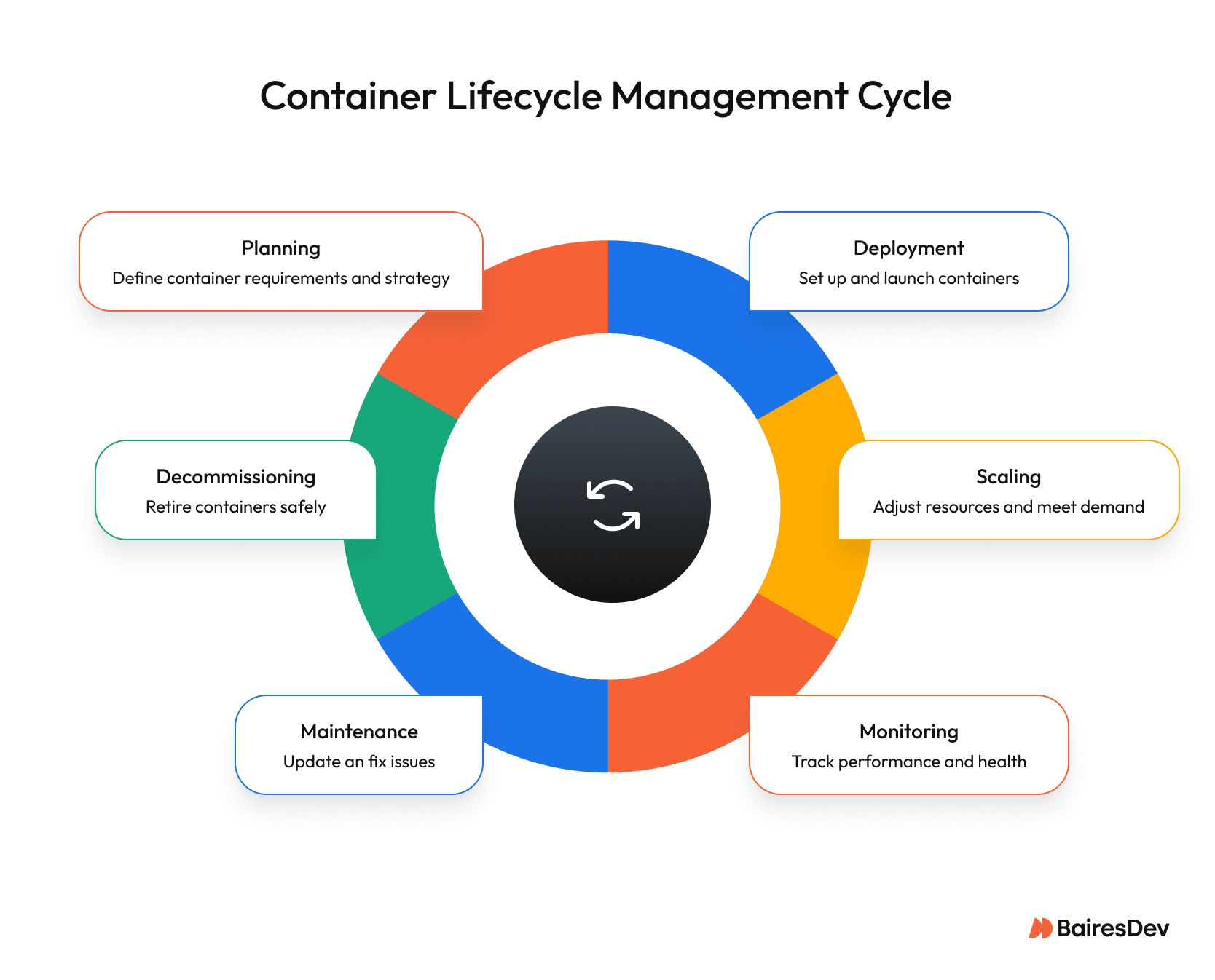
Whether you’re working with local development or large-scale production environments, Kubernetes provides the reliability and scalability needed for modern containerized applications.
Virtualization and Security
Security is always a concern with containers. Hyper-V Containers, for instance, offer hardware-level virtualization for containers. On the other hand, Linux Containers (LXC) provide a system-level virtualization technology that offers a full operating system environment for containers. LXC is designed to run Linux containers in a secure and isolated environment.
Both Hyper-V Containers and LXC offer some advantages in terms of security and isolation. By choosing the right virtualization technology, businesses can ensure that their containerized applications run securely and efficiently, whether on Windows or Linux systems.
Factors to Consider When Choosing Alternatives to Docker
When evaluating Docker alternatives, start with compatibility. If you are already using Docker, you will want to choose an alternative that is compatible with your existing container images and Docker commands. In most cases, any Docker image you already push to your registry can run unchanged with an OCI-compliant runtime like Podman or containerd, as long as your tooling and CI pipelines are updated.
Security is another major factor — Podman and Containerd avoid the Docker daemon used by traditional Docker containers, which reduces risk. Additionally, you may want to consider the level of community support and documentation available for the alternative, as well as its ease of use and integration with other tools.
Some popular alternatives, such as Podman and Containerd, offer a daemonless architecture, which can provide enhanced security and reduced overhead. Others, such as LXC and Hyper-V Containers, act more like system containers and offer a more traditional virtualization approach, which can provide greater isolation and security.
Ultimately, the choice of a Docker alternative will depend on your specific needs and requirements, and understanding the key features of each tool will help you make an informed decision.
How do Kubernetes and Docker fit together?
Both Kubernetes and Docker are capable of deploying and managing containers, yet they are quite different. Docker is a development tool for creating, sharing, and running containers. Kubernetes is a container orchestration platform for deploying and managing containers at scale.
Under the hood, Kubernetes plugs into a compatible engine via the container runtime interface, so you can swap Docker Engine for Containerd, CRI-O, or other OCI-compliant runtimes without redesigning your clusters.
Kubernetes manages containerized applications within clusters. This leads to optimizing resource allocation. Docker has Docker Swarm, which makes deploying containers at scale with Docker very possible. So, in this case, they can be viewed as similar technologies.
Where Docker is very simple to install and use, Kubernetes can be a serious challenge on every level.
On the other hand, Kubernetes is perfectly at home deploying very complicated full-stack applications and services at a massive scale.
What’s Next?
Clearly, Docker is no longer the only way to run containers in serious production environments. Cloud-native teams don’t have to treat Docker as the default forever. You can standardize on runtimes that better match your security model and governance requirements while staying compatible with existing OCI images.
For local development on Mac, Windows, and Linux machines, a Docker Desktop alternative such as Podman Desktop or Rancher Desktop can feel familiar, still honoring common Docker commands on the command line, without tying you to a single vendor.
In production on Linux servers or Windows Server, choosing a lightweight alternative that avoids long-lived processes with root privileges reduces your attack surface and simplifies compliance.
The goal isn’t to abandon Docker overnight, but to adopt a container solution with enterprise-grade support and a clear migration path so you can share containers across environments without locking your architecture to one tool.