


Key Points
- Most generative AI adoption fails not because the models are weak, but because ownership, workflow fit, and governance lag behind experimentation.
- Enterprises must separate decisions about models, user surfaces, developer platforms, and governance to avoid tool sprawl and unmanaged risk.
- Workflow‑embedded tools with strong controls, SSO, RBAC, and auditability drive adoption while preventing shadow usage.
- Successful rollouts depend on clear ownership, explicit change control, and pilots with measurable outcomes and kill criteria.
Generative AI tools have moved from early experiments to everyday enterprise use, but that doesn’t mean most organizations are getting value from them. Adoption is rising: nearly a third of companies are running generative AI in production, and three-quarters report increased usage over the past year. According to Gartner, nearly 30% now use generative AI as the most frequent AI solution in their organization, more than other types of machine learning models or traditional AI approaches.
Many initiatives stall because they’re unmanaged, poorly governed, or disconnected from real workflow outcomes. Only by narrowing scope and designing repeatable, measurable rollout plans can enterprises use generative AI systems to improve business outcomes rather than just experiment with flashy demos.
As a CTO or VP of Engineering, you’re accountable for velocity and risk at the same time. A proliferation of unmanaged AI tools fragments spend, exposes data risk, and dilutes accountability.
Start With Measurable Use Cases
Selecting the “best generative AI tools” without naming clear workflows biases decisions toward novelty instead of impact. Enterprises should focus on two or three high-impact use cases where you can name the bottleneck, the owner, and the measurable outcome you expect to improve. Overlapping vendors and unmanaged accounts multiply costs without consistent gains; in 2025, nearly all organizations reported increased generative AI use over the prior year, yet only a fraction have scaled beyond pilots into meaningful operations.
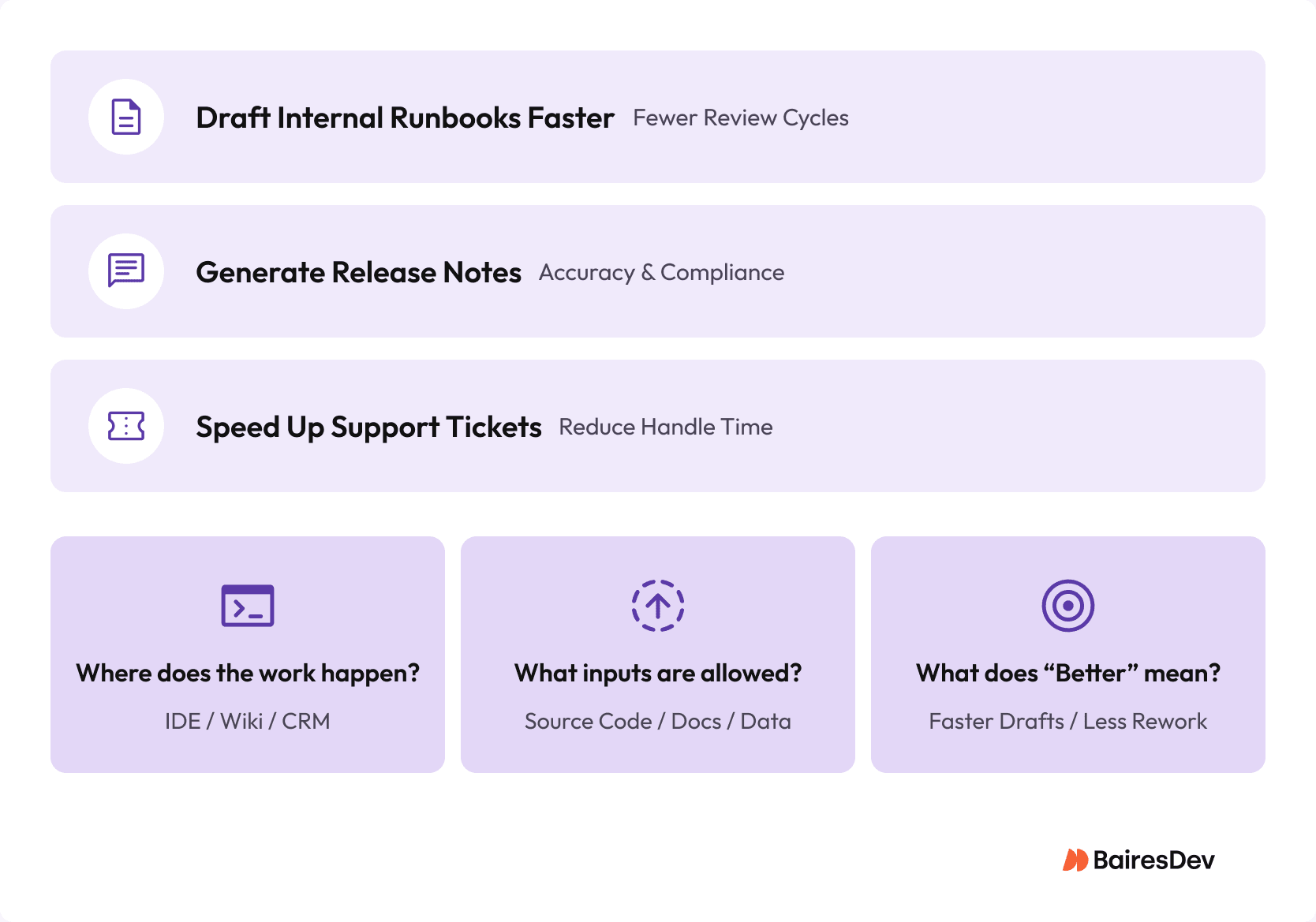
Define the work context carefully. If engineering teams work in Jira, Confluence, and an integrated development environment, the first tools you deploy should fit those surfaces, not push teams into a standalone AI chat tab that lives outside their primary workflow. That practical workflow fit, not the latest model benchmark, determines adoption.
Key questions:
- Where does the work happen? IDE, docs/wiki, ticketing systems, CRM, design tools.
- What input data can you allow? Source code, internal documentation, customer records, regulated or sensitive information.
- What does “better” look like in the first two weeks? Time-to-first-draft, cycle times, defect rate, ticket handle time.
- Who owns the outcome and the risk? This might include engineering productivity, platform ops, security, data governance, or a shared RACI model.
Separate the Layers: Models, Surfaces, Platforms, and Controls
Enterprises conflate four very different purchase decisions when comparing generative AI tools: the underlying generative AI models that power output, the end-user surfaces where teams work, the developer platforms for custom embedding, and the governance capabilities that make deployment safe and scalable. Conflating them leads to interface preference driving spend instead of integration and control.
Models – The Engine
This is the underlying generative artificial intelligence: large language models (LLMs), multimodal models, or deep generative models. They determine output quality, latency, context limits, and what data can be used for training or retained. An attractive public chatbot demo doesn’t tell you whether the enterprise offering supports data retention policies, residency requirements, or private network integration. Enterprise leaders should assess model licensing, fine-tuning options, training data usage terms, and support for foundation models that align with compliance constraints.
End-User Apps – Where People Work
These are the interfaces your teams touch: chat bots, document assistants, meeting summarizers, code copilots, and editorial aids. Adoption tends to follow convenience over policy. When approved surfaces aren’t where work happens, users resort to unmanaged personal accounts, creating shadow usage and uncontrolled risk. For example, unmanaged adoption of public tools often outpaces governed enterprise usage, even when the underlying AI models are similar. Adoption discipline depends as much on integration into tools your teams already use as on governance controls.
Developer Platforms – How You Embed It
If you need generative AI inside Jira workflows, knowledge bases, support consoles, or portals, you’re operating at the platform layer. Here you’re evaluating APIs, retrieval systems, tool calling, LLM observability, and grounding against internal corpora. An internal release notes generator succeeds or fails based on access to PR descriptions, ticket metadata, reliable approval steps, and robust evaluation metrics, far more than on which surface feels nicest.
Governance and Controls – How You Make It Safe
Governance is more than checkbox compliance. It includes tenant controls, single-sign-on, role-based access, audit logs, data loss prevention, and usage analytics. Without these, finance and security teams can’t audit usage or control risk and spend. When governance lives in a separate wiki while the AI lives in the IDE and browser, teams will naturally use the path of least resistance.
| Layer | What It Is | Primary Decision Factors | Common Failure If Ignored |
|---|---|---|---|
| Models (engine) | The underlying LLM or multimodal model | Output quality, latency, context limits, retention/training terms | You optimize for a demo instead of meeting retention, residency, or networking requirements |
| End‑User Apps (surface) | Chat, doc, meeting, design, or IDE experiences people use | Convenience, integrations, tenant/account manageability | Adoption routes around policy via unmanaged personal accounts |
| Developer Platforms (embedding) | APIs, retrieval, tool calling, evaluation, observability | Workflow fit (Jira/Zendesk/portals), grounded context, reliability | The workflow breaks because it can’t access required systems, data, or approvals |
| Governance and Controls (safety) | SSO/RBAC, policy enforcement, audit/DLP, analytics | Admin controls, logs, enforceable policies | Security/Finance can’t audit usage or control risk/spend |
Map Use Cases to Tool Categories
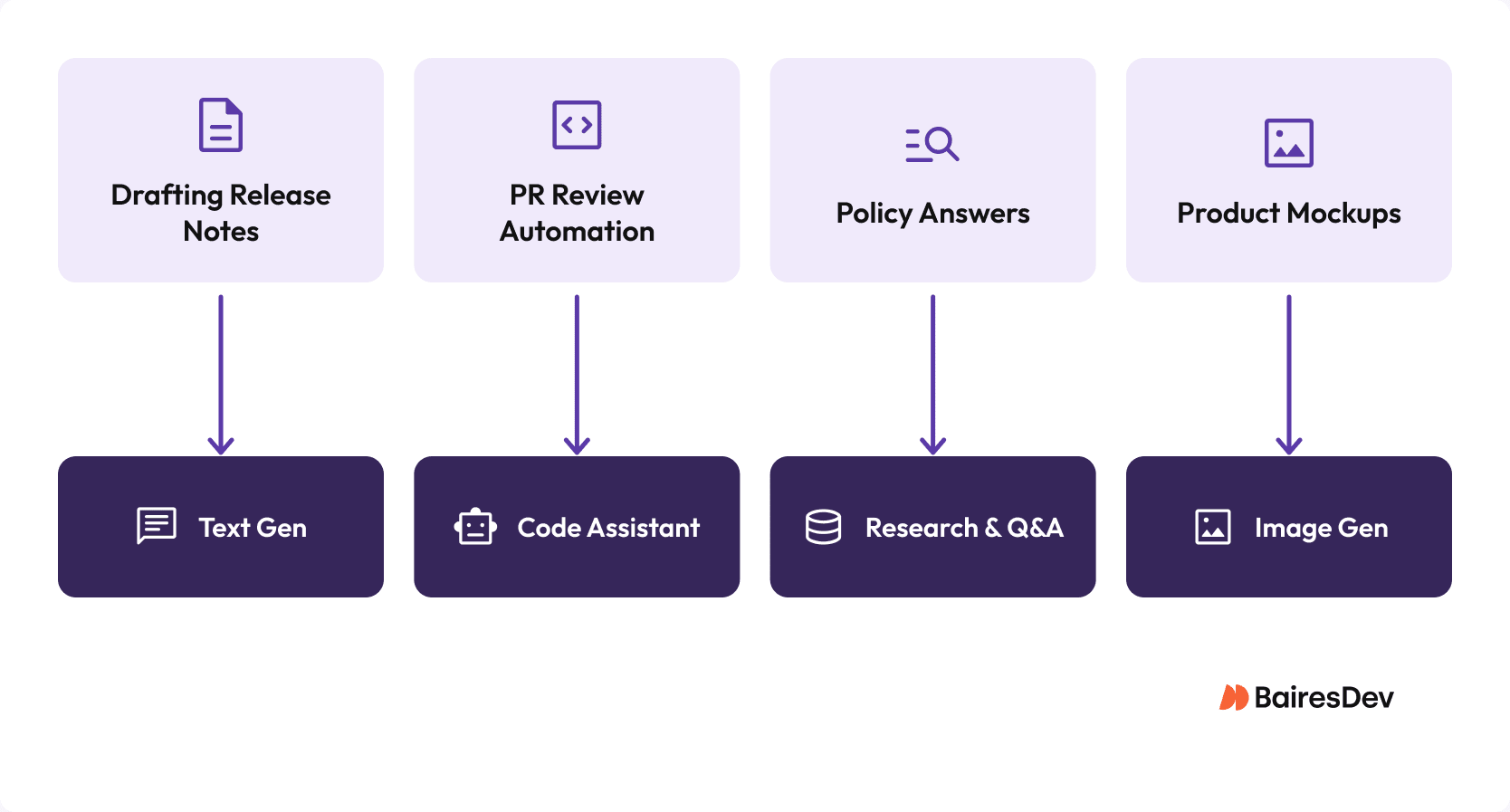
Once you’ve named real workflows, the next choice isn’t which vendor wins overall but which category of generative ai systems fits that workflow. Common categories include text generation for drafting, code assistants for inner-loop development, research and Q&A surfaces, image generators, and video/audio production support. Each category has different quality expectations, risks, and governance requirements.
Generative AI applications span content creation, code generation, data analysis, and image editing tools. But not every business process benefits equally. Leaders should prioritize areas where large language models can reduce cognitive load on complex data rather than automate creative writing or social media captions that don’t materially impact delivery.
Text Generation and Rewriting
For drafting internal runbooks, release notes, or business specs, your focus should be on time-to-first-draft and edit distance reduction, plus a simple defect count for factual accuracy. The metrics here are straightforward and can be grounded in measurable review cycles.
Code Assistants
Code generation and code suggestions can compress development cycles. Track cycle time from first commit to merge, code review churn, and escaped defects to validate impact without raising change risk. Developers expect IDE-embedded assistants to improve quality and velocity; governance here is distinct from conversational interfaces.
Research and Q&A
When teams need grounded answers across internal corpora and external web pages, generation plus citations matters. Tools that produce answers without verifiable links often increase review overhead rather than reduce it. Measure the share of answers that pass spot checks and ensure retrieval systems scope context to approved bodies of knowledge.
Image and Video Generation
For image generation and audio or video support (e.g., concept art, training clips, voiceovers), workflows need governance gates around brand, likeness, and licensing. Track revision rounds and rejection reasons to assess whether outputs meet standards and reduce rework.
Tool Category vs. Use Case, Risks, and Metrics
| Tool Category | Typical Enterprise Use Case | Primary Risks | Key Metrics |
| Text Generation & Rewriting | Drafting runbooks, release notes, specs, customer‑facing text | Hallucinations, factual drift, inconsistent tone, over‑reliance on ungrounded outputs | Time‑to‑first‑draft, edit‑distance reduction, factual defect rate |
| Code Assistants | Inner‑loop code suggestions, boilerplate generation, test scaffolding | Incorrect code, security vulnerabilities, dependency misuse, over‑permissive access to repos | Cycle time from first commit to merge, review churn, escaped defects |
| Research & Q&A | Internal knowledge retrieval, policy answers, technical lookups | Ungrounded answers, missing citations, retrieval from over‑permissive corpora | Citation click‑through accuracy, answer pass‑rate on spot checks, retrieval precision |
| Image Generation | Concept art, UI mockups, marketing assets | Brand inconsistency, licensing issues, likeness misuse | Revision rounds, rejection reasons, approval cycle time |
| Video/Audio Generation | Training clips, voiceovers, explainer content | Likeness rights, tone mismatch, regulatory constraints | Review cycles, compliance rejections, production time saved |
Enterprise Selection Checklist
A strong shortlist is only the beginning. A checklist ensures teams validate the dimensions that determine whether a tool integrates, governs, and scales: workflow fit, admin controls, data handling, controllability, grounding, reliability, cost controls, and vendor risk.
Workflow fit means the tool works where tasks live with minimal context switching. Team controls include SSO, RBAC, and exportable audit logs that make governance enforceable. Data handling covers retention and training policies, tenant isolation, and residency. Quality and grounding relate to consistent outputs and retrievable sources, not just flashy demos. Reliability covers latency, rate limits, and service levels. Cost controls ensure spend predictability through caps and per‑team attribution. Vendor risk examines data‑use terms, model swaps, and exit paths for content and embeddings.
| Dimension | What to Validate | Why It Matters |
| Workflow Fit | Works inside existing tools (IDE, Jira, Confluence, CRM, design tools) with minimal context switching | Reduces shadow usage and improves adoption |
| Admin Controls | SSO, RBAC, tenant isolation, exportable audit logs, enforceable policies | Makes governance auditable |
| Data Handling | Retention and training terms, residency, connector permission inheritance, DLP alignment | Prevents leakage and compliance breaches |
| Grounding and Quality | Retrieval from approved corpora, citation support, evaluation metrics, consistent outputs | Avoids brittle outputs and rework |
| Reliability | Latency, rate limits, uptime commitments, model/version stability, observability | Ensures predictable performance and reduces operational disruption |
| Cost Controls | Seat attribution, usage caps, team‑level visibility, predictable billing | Improves cost predictability |
| Vendor Risk | Data‑use terms, model swap policies, exit paths for content/embeddings, roadmap transparency | Reduces lock-in and renewal risk |
The Budget Conversation You’ll Eventually Have
When usage scales, token-based pricing can spike quickly, especially when large language models process long context windows or complex data. Finance will eventually ask which business processes improved and whether spend maps to measurable outcomes. If you can’t tie usage to reduced cycle time, lower support volume, or improved content quality, renewal conversations become defensive rather than strategic.
Shortlist: Generative AI Tools by Category
Once you’ve mapped workflows to categories, the goal isn’t to crown a single “best” tool but to build a shortlist inside each category. This prevents category confusion and keeps evaluations disciplined.
| Category | Representative Tools | Why These Fit the Category |
| Text Generation and Rewriting | OpenAI ChatGPT, Anthropic Claude, Microsoft Copilot, Google Gemini | Optimized for drafting, summarization, rewriting, and structured text generation |
| Code Assistants | GitHub Copilot, Amazon CodeWhisperer, JetBrains AI Assistant | Integrated into IDEs and inner‑loop workflows; provide inline suggestions, tests, and scaffolding |
| Research and Q&A | Microsoft Copilot with Graph/RAG, Perplexity, Elastic AI Assistant | Retrieval‑grounded answers, citation support, policy‑aware responses |
| Image Generation | Midjourney, Adobe Firefly, OpenAI DALL·E | Produce concept art, UI mockups, and marketing assets with controllable styles |
| Video/Audio Generation | Synthesia, Descript, Runway | Generate training clips, voiceovers, explainers, and lightweight production assets |
Roll Out Guardrails That Actually Work
Guardrails only work when the governed path is faster than the unmanaged one. Tools embedded where work happens with managed tenants and SSO are more likely to be used responsibly. Define “never paste” inputs in one sentence: secrets, customer PII, regulated data, and anything under NDA unless explicitly enabled in an approved, logged workflow.
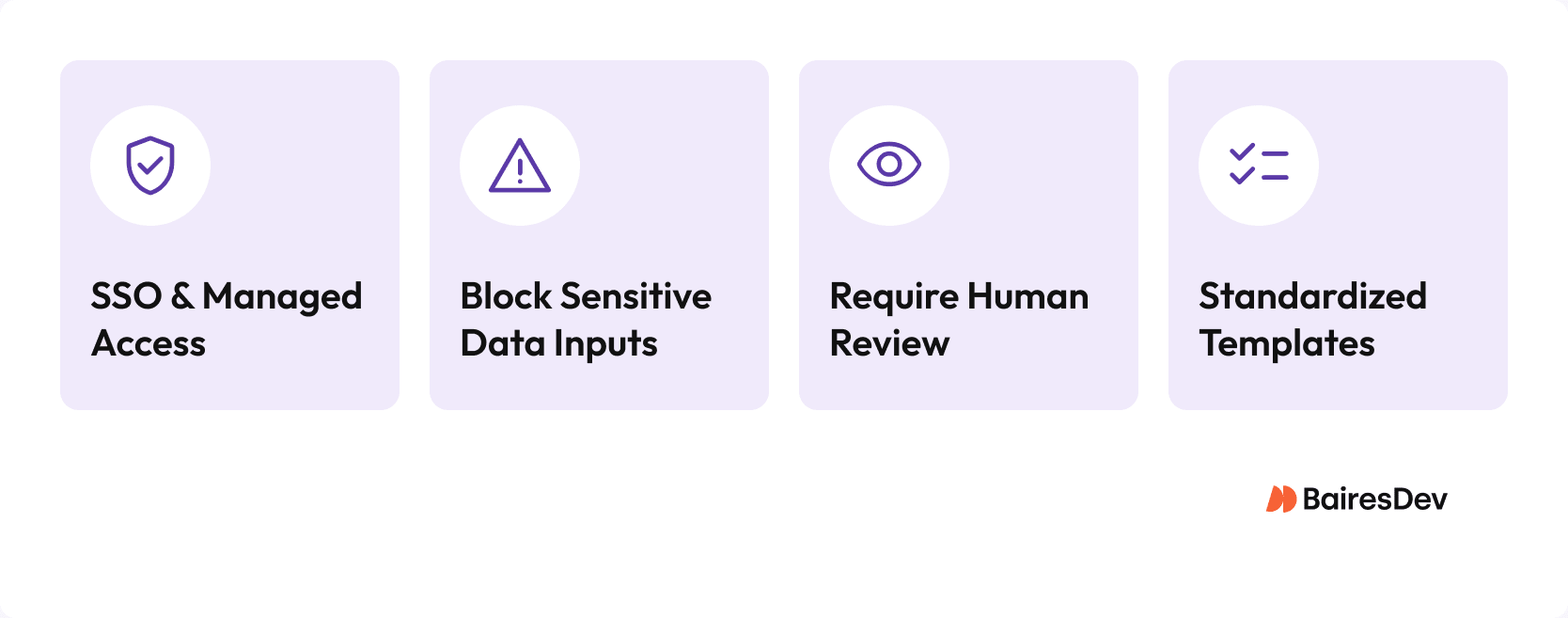
To keep usage safe and consistent, teams should implement guardrails that are simple, enforceable, and visible:
- Managed access: Use SSO, tenant isolation, and approved surfaces so the safe path is the easy path.
- Block sensitive inputs: Enforce “never‑paste” rules for secrets, PII, regulated data, and NDA content.
- Require human review: Mandate review for external or high‑stakes outputs.
- Standardize templates: Replace hero prompts with shared templates to converge on quality and safety.
- Assign ownership: Name one owner for drift, usage patterns, and vendor changes to prevent fragmentation.
Ownership Model and Change Control
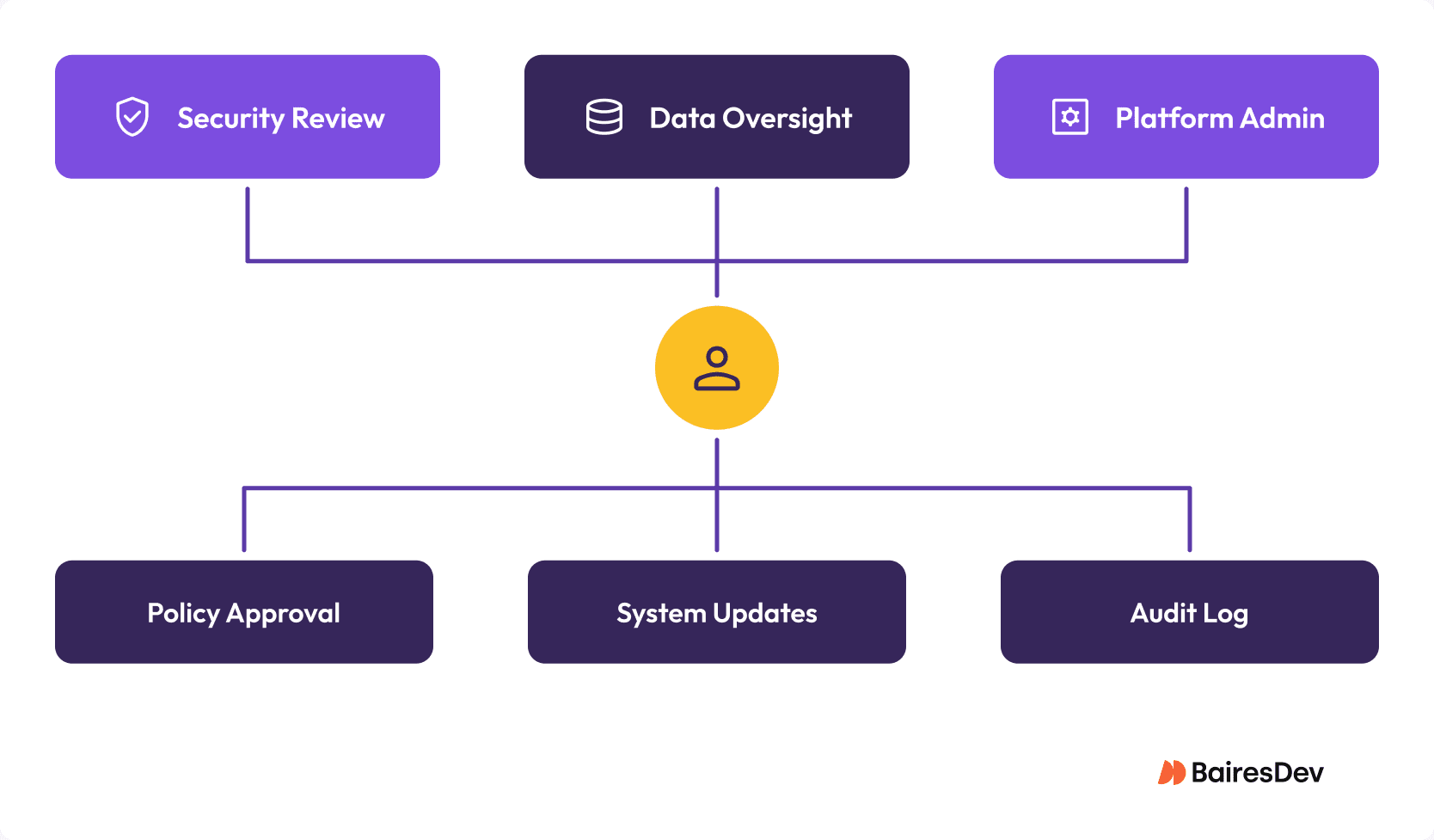
Assign accountability clearly. Platform engineering or IT typically owns tenant integrations, admin consoles, and telemetry, with security and data teams as required approvers for policies and knowledge sources. Change control should be lightweight but explicit: vendor releases, model updates, and connector changes are production changes and must be treated as such. Platform owns admin surfaces and IDE integrations; security owns allowed inputs, review requirements, and logging policy; data teams own indexed corpora, retrieval rules, and query access.
Pilot with Measurement and Kill Criteria
A pilot only works if it answers two questions: did it measurably improve a workflow, and can you operate the tool safely at scale? Choose two workflows from distinct teams (e.g., support macro drafts and engineering release note drafts). Baseline current performance and measure after the pilot, time-to-first-draft, review cycles, defect rates. Include one deliberate failure test to confirm controls catch misuse. End with clear kill criteria: if no measurable delta emerges or controls don’t hold, stop the rollout.
Why Most AI Rollouts Stall
Most generative AI rollouts stall at the transition from pilot to policy. The pilot works. Governance lags. Procurement slows. Shadow usage continues. Unless you treat rollout as an operational program, not a technology experiment, fragmentation returns.
Evolving With Purpose, Not Surprises
Rolling out Generative AI tools should be treated like any other infrastructure change: deliberate, measured, and governed. By grounding selection in workflow fit, governance, and measurable outcomes, you shift AI from an experiment to operational advantage. Your ICP cares about velocity, control, and predictability, and those come from discipline and accountability, not proliferation of unmanaged tools.