

TL;DR
AR (Augmented Reality) overlays digital content onto the real world — think Pokémon GO, Apple Vision Pro, or warehouse picking guidance. VR (Virtual Reality) creates a fully immersive digital environment — Meta Quest, training simulations, virtual showrooms. AR is seeing faster enterprise adoption (manufacturing, field service, retail); VR leads in entertainment and employee training. Both are development-ready with mature SDKs.
When your team asks “what is AR,” they want the executive take so to put it simply: where it drives value, how quickly it scales, and why it’s different from the rest of extended reality.
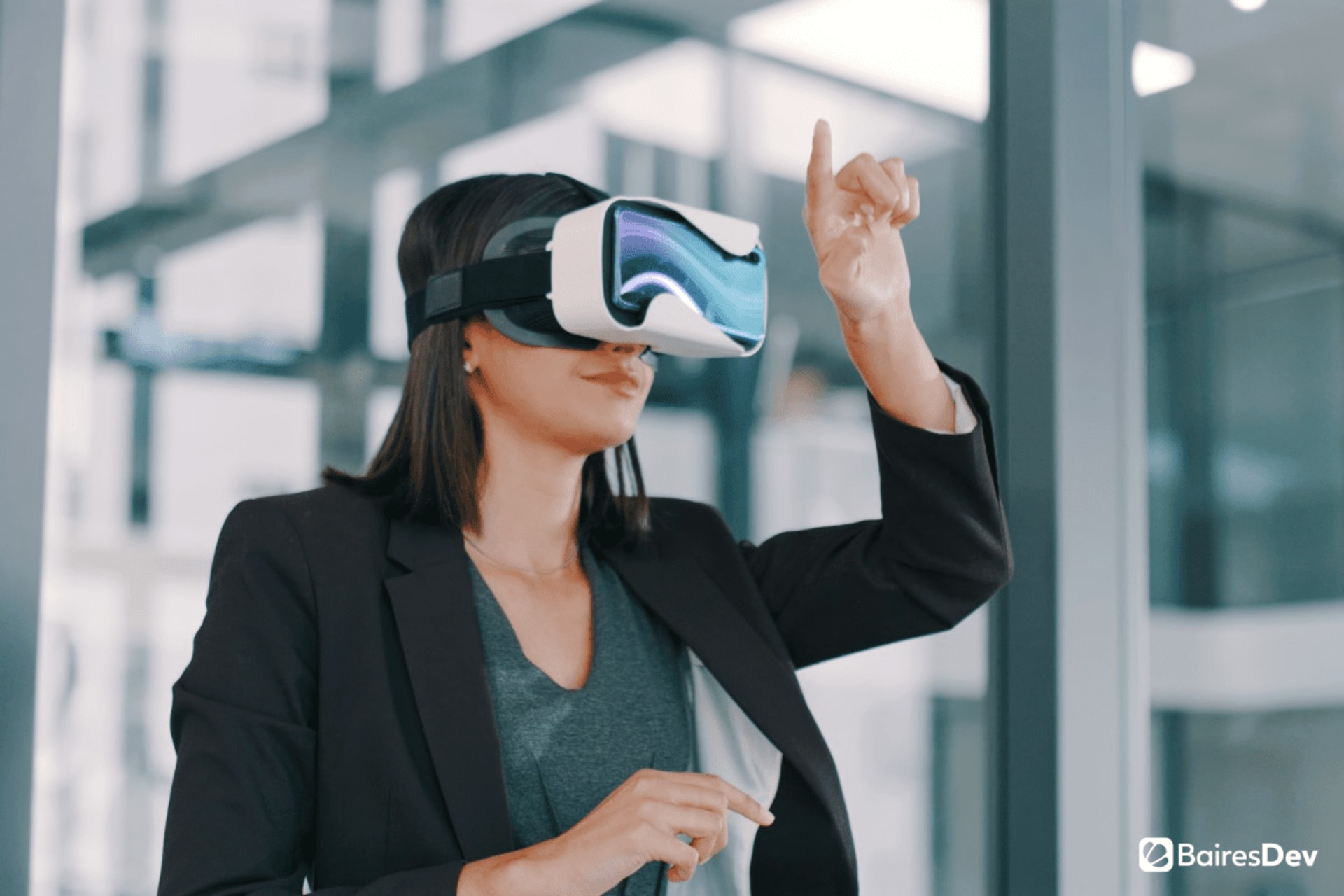
Augmented reality (AR) blends digital elements with the real environment. Unlike virtual reality (VR), which moves you into a fully immersive digital environment, AR keeps you anchored in the physical world and adds just enough context to help people decide and act faster.
That difference explains why AR shows up first on mobile devices, then on smart glasses, and increasingly on enterprise spatial computing devices.
What Is Augmented Reality?
VR constructs virtual reality that replaces your view, so you operate inside designed environments with simulated objects.
AR flips the model. It locks digital objects to real‑world elements you still see and control. Mixed reality (MR) sits between them, letting virtual and real objects interact in ways that feel physically correct. A digital gauge appears mounted to a real machine. A shadow falls across your notepad.
Together, AR, VR, and MR form extended reality (XR). At a management level, the distinction is simple: how much of the real environment remains visible, and how precisely digital information aligns to physical objects.
How Does Augmented Reality Work?
Let’s take a look at AR in practice. At an executive level, AR is about aligning pixels with places to shrink time-to-action. AR devices sense the environment, understand planes, edges, and motion, then overlay stable, scaled content.
Modern frameworks handle tracking, lighting, occlusion, and input so labels, arrows, and 3D models stay where they belong. The goal is straightforward: to reduce cognitive load, enabling people to act with confidence.
When Should an Enterprise Use Augmented Reality?
If you run an engineering team, AR is useful when it integrates with what you already have and proves out quickly. Start on managed phones and tablets with SSO, on-device processing by default, and MDM for enrollment, updates, and remote wipe. Set the bar before you start: MTTR, first-time fix, rework hours, time to proficiency. In most pilots we’ve seen, teams land 10 to 25 percent gains in first-time fix and 15 to 30 percent fewer errors, with break-even inside a quarter for groups of 30 to 50 technicians.
Treat content like code. SMEs write steps, reviewers approve, versions are pinned, and procedures are localized. Push updates the same way you ship docs. Tie AR to systems of record through APIs so parts, torque specs, and revisions stay current in CMMS, PLM, EMR, or Jira. Start on mobile to prove value, then move specific workflows to head-worn devices where hands-free work or safety constraints make the case.
What Devices Are Used for Augmented Reality?
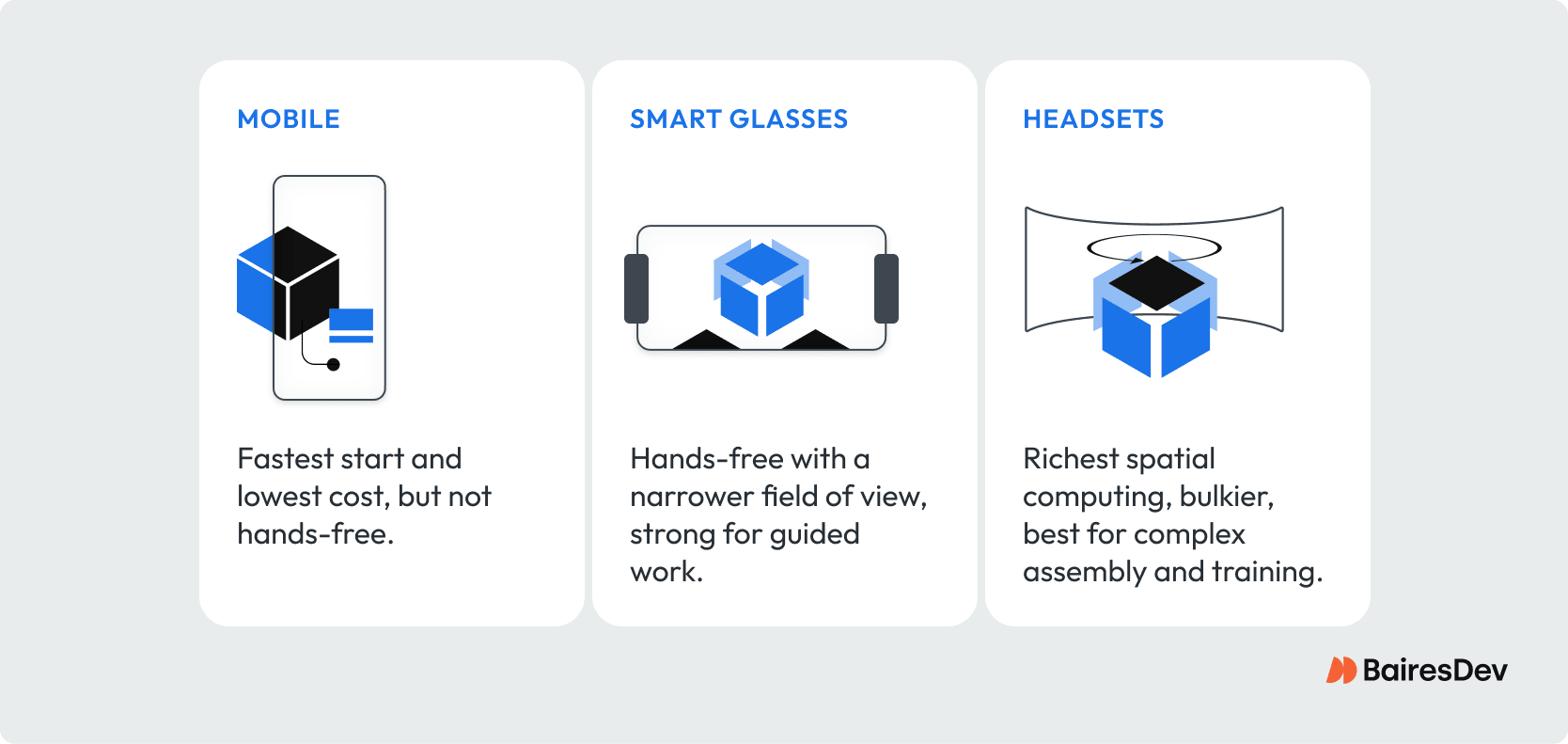
Phones and tablets remain the primary AR devices because they’re already deployed at scale. Point the camera, and the overlay appears, which is ideal for pilots and quick wins.
Smart glasses and dedicated headsets extend the value proposition. Hands stay free, digital information sits in your line of sight, and depth cues feel natural. Enterprise‑grade headsets suit procedures where technicians, clinicians, or trainers need hands‑free guidance anchored to exact tools and spaces. A phone proves how AR works. Head‑worn devices prove why hands‑free focus changes throughput and safety.
AR vs VR: Key Differences and Use Cases
| Factor | Augmented Reality (AR) | Virtual Reality (VR) |
| Real world | Overlaid — user sees both | Replaced — user sees only digital |
| Hardware | Phone, AR glasses (HoloLens, Vision Pro) | VR headset (Meta Quest, Valve Index) |
| Enterprise use | Field service, manufacturing, retail | Training, simulation, remote collaboration |
| Consumer use | Mobile games, navigation, shopping | Gaming, entertainment, social |
| Dev platform | ARKit (iOS), ARCore (Android), Unity | Unity, Unreal Engine, OpenXR |
| Adoption friction | Low (phone-based) | Higher (headset required) |
When to use:
AR works best for use cases where real-world context matters — assembly guidance, maintenance instructions, retail try-on, and navigation. VR works best when you want full immersion — training scenarios where the real environment is unavailable or unsafe, entertainment, and virtual collaboration.
When NOT to use:
Neither AR nor VR is appropriate as a novelty layer on an existing process — the technology should solve a real user problem. AR/VR add development and device cost; validate the use case with user research before committing to the platform.
How Does AR Improve Remote Collaboration?
Your collaboration stack already covers calls, chat, and docs. AR and VR add the missing layer: shared context in the real world. Instead of presenting a flat slide, an engineer can place annotations on a live prototype; the team sees the same cues, in place, from anywhere.
AR headsets make it feel like everyone is standing around the same bench, reviewing the same assembly. For fully simulated reviews—think layout options across multiple virtual environments—VR makes sense.
Quality inspectors can walk a line while context-sensitive checklists appear at each station. With AR software that understands site layout, these AR applications create shared context without convening everyone in one room. That’s collaboration that respects the real environment and shortens decision cycles.
When the work ties back to real-world objects on a floor or in a clinic, AR is the better tool.
When Is VR Better Than AR for Events and Simulations?
Think of design sprints where you need to reshape ideas on the fly or remote performances where the “stage” can be anything. VR is the power move here precisely because it isn’t AR.
Then the work goes back to the real world—the plant, the ward, the job site—and the baton passes to AR. Now you don’t need total immersion; you need a smart translator. AR overlays the right prompt at the right moment, anchoring the concept to the concrete.
How Does Augmented Reality Improve Customer Engagement?
Indoor navigation is a simple proof point: arrows and labels anchored to corridors inside airports, hospitals, stadiums, and campuses reduce friction because guidance lives in your physical world.
Remote support is a high-ROI pattern. A field tech streams a view; an expert draws virtual information directly onto the equipment—turn this valve, test that port. When instructions anchor to real-world objects, you get stepwise overlays that remove ambiguity.
That’s how augmented reality apps work best: unambiguous prompts, stable visual elements, and thoughtful human-computer interaction.
In retail and home improvement, try-ons and visualization let customers place a life-size sofa, swap cabinet styles, or test glasses frames in their own environment.
How Is Augmented Reality Used in Training?
Training budgets love repeatability. In manufacturing, energy, and aviation, hands-on training must be safe and precise. AR can superimpose torque specs, alignment markers, and hazard zones on the actual machine.
Combining object recognition with stable tracking lets digital objects—gauges, arrows, labels—cling to the right component in the real environment, so muscle memory transfers cleanly.
Well-designed augmented reality experiences manage cognitive load by revealing steps progressively and allowing quick replays. VR complements this with a fully immersive digital environment for rare or dangerous scenarios. Use AR for production tasks, VR for crisis rehearsal—the pair keeps virtual information where it’s most valuable.
How Is Augmented Reality Used in Marketing?
For buyers, augmented reality applications remove guesswork. Paint appears on your actual wall; fixtures align to your real cabinetry; accessories fit your face and hands at scale.
These AR features increase confidence because evaluation happens in the user’s environment, not a staged photo. The effect shows up in conversion and returns, and it compounds as your catalog becomes persistent digital content.
What Infrastructure Does Augmented Reality Require?
Dependable AR requires stable tracking and low-latency rendering. Edge and cloud improvements help shared sessions feel immediate, which matters for remote support and co-presence.
Even so, the best AR work happens when core functions run on-device. Modern chipsets provide the processing power for persistent anchors, richer models, and better lighting without constant connectivity. As computing scales, AR technology supports more complex scenes without draining batteries or dropping frames.
What Design Principles Make AR Applications Effective?
Great AR feels obvious the moment you raise a device. That comes from disciplined human-computer interaction. Labels shouldn’t block critical views; depth cues should make virtual objects sit on surfaces; the system should adapt to bright light, reflective materials, and motion in the physical space.
Respect attention, reveal digital information at the moment of need, then get out of the way. That’s how you lower cognitive load and increase throughput.
Where AR Runs Best
On phones, augmented reality apps rely on standard cameras and sensors. On headsets, depth sensing and spatial meshes model rooms and furniture more precisely. Development kits provide plane detection, anchors, and lighting so augmented reality apps work predictably.
Industrial platforms add identity, remote management, and content pipelines so procedures, translations, and safety notes update reliably.
Whether you’re rolling out a consumer try-on or a factory inspection routine, the fundamentals are the same: tracking, anchoring, rendering, input, and synchronization across the digital and physical worlds.
Use this quick matrix to pick AR, MR, or VR based on how much real-world context the task needs and whether hands-free execution matters.
| Primary Goal | Real-world context? | Hands-free? | Recommended |
|---|---|---|---|
| Guided field work | Yes | Often | AR / MR |
| Line inspection | Yes | Often | AR / MR |
| Layout ideation | Sometimes | No | VR |
| Safety drill | No (simulated) | No | VR |
| Design review | Sometimes | No | VR → AR |
| Remote support | Yes | Sometimes | AR |
Key Takeaways
- AR (Augmented Reality) overlays digital content on the real world — users see their physical environment with digital augmentations through mobile devices or AR glasses, enhancing real-world context rather than replacing it.
- Enterprise AR applications: manufacturing assembly guidance (overlaying step-by-step instructions on machinery), field service support (remote expert annotations), retail try-on experiences, and indoor navigation in large facilities.
- Business VR use cases: employee training (safety procedures, hazardous environments, customer service scenarios), virtual collaboration spaces, immersive product demos, and simulated environments where real-world testing is costly or unsafe.